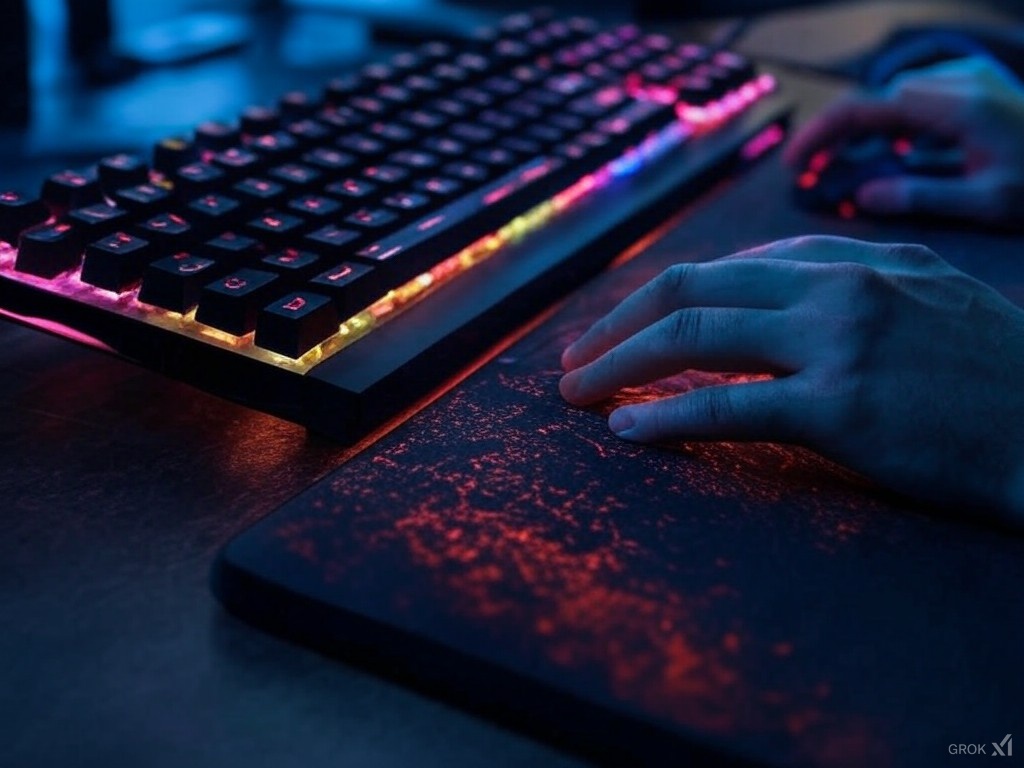
Picture this: You’re in the final moments of a ranked Valorant match, your team counting on you to clutch the 1v3. But instead of focusing on that pixel-perfect headshot, you’re distracted by the burning sensation in your wrists. Sound familiar?
Whether you’re grinding ranked matches or streaming marathon sessions, your gaming setup’s ergonomics can make or break your experience. A proper wrist rest for your gaming keyboard is not just another accessory. It’s essential equipment that significantly impacts your gameplay. It also affects your long-term health.
Let’s explore how the right ergonomic wrist support options can transform your gaming sessions. From preventing fatigue during those epic gaming marathons to optimizing your setup for competitive play, we’ll cover everything you need to know about gaming wrist rest. You’ll discover why pro players prioritize ergonomic gaming accessories and how you can implement their strategies to enhance your own gaming performance.
Why Gaming Wrist Rest Support

Recent gaming studies reveal what many of us already know from those late-night gaming sessions:
Key Statistics:
• 67% of regular gamers experience wrist pain during extended play
• 41% have dealt with repetitive strain injury (RSI)
But what makes gaming particularly demanding on our wrists? Unlike typical keyboard use, gaming requires movements that would make a speed runner proud. FPS games demand quick flicks like a CS:GO AWP shot, while MOBAs like Dota 2 and MMOs like Final Fantasy XIV require you to dance across your keybinds like a pro pianist. However, these actions can lead to:
Carpal Tunnel Syndrome (GG to your gaming career)
Tendonitis
Reduced reaction time
Decreased accuracy during crucial moments
Early onset of gaming fatigue
Gamers understand this connection between comfort and performance. Fun fact: a mere 0.1-second delay in reaction time (that’s longer than a Valorant operator shot) could mean the difference between a highlight clip and a rage quit moment.
Gaming-Specific Features to Look For

When selecting a wrist rest for gaming keyboard use, several key features can make the difference between a good and exceptional gaming experience. Let’s break down the essential elements that serious gamers should consider:
Gaming Wrist Rest Height and Profile Matching
Your wrist rest’s height should perfectly complement your gaming keyboard’s profile. Here’s what to consider:
Low-profile mechanical keyboards need rests between 15-18mm
Standard gaming keyboards work best with 20-22mm support
High-profile mechanical keyboards require 22-25mm rests
Material Selection For Gaming Wrist Rest
Height and Profile
- ✓ Low-profile: 15-18mm
- ✓ Standard: 20-22mm
- ✓ High-profile: 22-25mm
Material Selection
- ✓ Memory Foam
- ✓ Gel Support
- ✓ Hybrid Options
Different materials offer unique benefits, as covered in our guide to top-rated wrist rests for various gaming styles:
Memory Foam:
- Ideal for long gaming sessions
- Adapts to individual wrist pressure
- Excellent for consistent positioning in strategy games
- Usually more durable for intense gaming sessions
Gel Support:
- Perfect for high-movement gameplay
- Cooler surface during heated matches
- Better for quick repositioning in FPS games
- Requires less maintenance
Your wrist rest should match your keyboard’s dimensions:
- Full-size gaming keyboards: 17-18 inches
- TKL (Tenkeyless): 14-15 inches
- Compact (60%/65%): 11-12 inches
Remember: Allow for an extra 1-2cm width for proper RGB strip visibility if your setup includes keyboard underglow.
How Gaming Wrist Rest Improve Performance

The connection between proper wrist support and gaming excellence isn’t just theory – it’s backed by performance metrics from top esports athletes.
“When your wrists are properly supported, you’re not fighting against fatigue – you’re purely focused on the game.”
Enhanced Reaction Time
- Up to 12% faster reaction times in FPS games
- 15% improvement in accuracy during extended sessions
- Consistent performance even after 4+ hours of gameplay
Sustained Performance
- Maintained APM (Actions Per Minute) levels in RTS games
- Reduced error rates in complex key combinations
- Consistent mouse flick accuracy in crucial moments
Professional Impact

Top esports organizations now consider wrist support essential:
- Team Liquid reports 23% fewer player complaints about wrist fatigue
- FaZe Clan implemented mandatory ergonomic standards
- ESL tournaments provide standardized wrist support options
Best Practices for Using a Gaming Wrist Rest
Whether you’re diving into intense competitive matches or enjoying casual gaming sessions, proper wrist rest technique can make all the difference. Here’s how to maximize your ergonomic gaming setup:
Positioning for Different Game Types
FPS Games:
- Position the rest slightly back from keyboard edge
- Maintain a 15-20 degree wrist angle
- Allow room for quick mouse movements
- Keep elbows at 90-110 degrees
_
MOBA/RTS Games:
- Center the wrist rest with your most-used keybinds
- Position slightly closer to the keyboard edge
- Ensure stable support during rapid key combinations
- Leave space for hand repositioning
Height Adjustment Guidelines
Follow these key measurements:
- Wrists should be level with or slightly below your elbows
- Allow 1-2cm space between wrist and edge of desk
- Adjust chair height to maintain proper arm angles
- Consider monitor height impact on overall posture
Remember: The best position is one that allows natural movement while maintaining consistent support throughout your gaming session.
Complete Gaming Setup Integration

Creating the perfect gaming station isn’t just about individual components – it’s about how they work together. As detailed proper keyboard wrist rest integration is key to maximizing both comfort and performance.
Coordinated Support System
For a fully optimized gaming experience:
- Align keyboard and mouse wrist rests at the same height
- Maintain consistent material types for uniform support
- Consider RGB sync capabilities with your existing setup
- Allow proper spacing for mouse movement range
Cable Management Integration
Keep your battlefield clean:
- Route cables away from wrist rest edges
- Use cable clips to prevent interference with movement
- Consider wireless peripherals to reduce cable complexity
- Ensure RGB wiring doesn’t affect wrist rest placement
Your gaming space should evolve with your needs, whether you’re:
- Streaming with multiple monitors
- Competing in tournaments
- Creating content
- Casual gaming
Common Mistakes to Avoid
Even the best gaming wrist rest won’t help if you’re not using it correctly. Here are the crucial mistakes to avoid when setting up your ergonomic gaming station.
Gaming Wrist Rest Size and Positioning Errors
Common pitfalls include:
- Using a standard office wrist rest for gaming keyboards
- Mismatching wrist rest size with keyboard length
- Positioning the rest too far from or too close to the keyboard
- Ignoring keyboard profile height when selecting a wrist rest
Material Mismatches
Watch out for:
- Choosing materials that don’t suit your gaming style
- Mixing gel and foam supports in the same setup
- Using non-gaming specific materials that wear quickly
- Ignoring temperature considerations in material selection
Remember: What works for casual typing might not hold up to intense gaming sessions. Your wrist rest should be chosen specifically for gaming demands and maintained accordingly.
Level Up Your Gaming Experience
Your gaming wrist rest isn’t just another peripheral – it’s a pretty crucial component that can transform your gaming experience. By implementing proper ergonomic practices and choosing the right support, you’re investing in both your performance and long-term gaming health.
Check out our comprehensive guide to the best keyboard wrist rests for detailed product recommendations and comparisons.
Want to stay updated on the latest gaming ergonomics tips and tricks? Join our newsletter!
Share your gaming setup with us using #ErgonomicGaming – we’d love to see how you’ve implemented these tips to elevate your game!
Leave a Reply