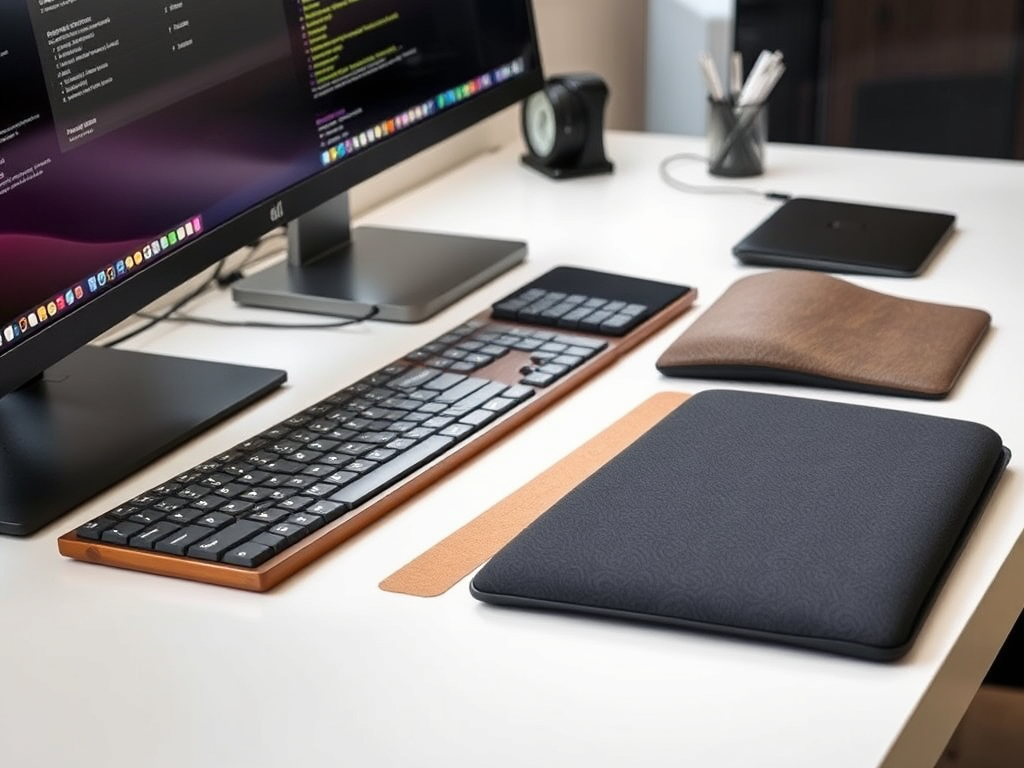
Are you spending hours at your keyboard and wondering if a wrist rest will make your typing experience more comfortable? You’re not alone. With countless options available – from memory foam to gel-filled supports – choosing the right keyboard wrist rest can feel overwhelming.
As someone who’s tested dozens of wrist rests and consulted with ergonomics experts, I’ve learned that the perfect wrist rest isn’t just about comfort – it’s about finding the right combination of materials, height, and support for your specific needs.
Let’s explore everything you need to know about keyboard wrist rests, from understanding different materials to finding the perfect size for your setup. Whether you’re a programmer coding for hours or an office worker managing daily tasks, you’ll learn how to make an informed decision that supports both your comfort and long-term wrist health.
Looking for quick recommendations? Check out our top-rated keyboard wrist rests here
Understanding Wrist Rests: Types, Materials, and Why They Matter

Before diving into specific recommendations, let’s understand what makes a quality keyboard wrist rest. These seemingly simple accessories come in several forms, each designed to address different needs and preferences.
Types of Wrist Rests
The market offers three main categories of keyboard wrist rests:
Full-Length Supports
These span the entire width of your keyboard, providing consistent support across your typing area. They’re particularly beneficial if you use all parts of your keyboard frequently, including the number pad.
Compact/TKL Rests
Designed for tenkeyless keyboards or those who prefer minimal setups, these shorter options save desk space while still providing essential support where needed.
Split Designs
For ergonomic or split keyboards, these specialized rests come in two pieces, allowing you to position each half precisely where you need it.
Common Materials Used

| Material | Benefits | Considerations |
|---|---|---|
| Memory Foam |
• Adapts to your wrist position • Provides warm, cushioned support • Excellent for longer typing sessions |
May compress over time |
| Gel-Filled |
• Offers cool, firm support • Maintains shape consistently • Easy to clean |
Some models can be too firm for sensitive wrists |
| Hybrid Options |
• Combines multiple materials • Balances comfort and durability • Usually features gel core with foam coating |
Often more expensive |
Finding Your Perfect Fit
Getting the right size isn’t just about matching your keyboard’s width – height and depth play crucial roles in maintaining proper ergonomics.
Keyboard Width Measurements
Full-size keyboards
17-17.5 inches (430-445mm)
Tenkeyless (TKL)
14-14.5 inches (355-370mm)
60% keyboards
11.5-12 inches (290-305mm)
💡 Pro Tip
Always measure your keyboard’s width before purchasing. Some gaming keyboards or specialized models might have non-standard dimensions.
Height Considerations
| Keyboard Type | Recommended Height | Notes |
|---|---|---|
| Standard Keyboard | 0.75-1 inch (19-25mm) | Most common height range |
| Mechanical Keyboard | 0.8-1.2 inches (20-30mm) | Accounts for taller keycaps |
| Low-Profile Keyboard | 0.5-0.7 inches (13-18mm) | Matches slim keyboard designs |
Depth Requirements
When it comes to depth, you need enough support to keep your wrists comfortable without creating awkward typing angles. The minimum recommended depth is 2.5 inches (63mm), though I find that most users are most comfortable with a depth between 3-4 inches (76-102mm). While some manufacturers offer extended depth options of 4+ inches (102mm+). Remember: Deeper isn’t always better. The goal is to support your wrists without forcing an unnatural typing angle.
Finding the Sweet Spot
Your perfect size depends on several factors:
- Your typing style
- Desk space availability
- Keyboard height and angle
- Personal comfort preference
Maintaining Your Wrist Rest: Care Tips for Long-Term Use

Proper maintenance not only extends the life of your wrist rest but also ensures it remains hygienic for daily use.
Cleaning Methods by Material Type
Memory Foam
Daily Care:
- Remove surface dust with a slightly damp microfiber cloth
Deep Cleaning:
- Mix mild soap with warm water
- Gently dab (don’t rub) the surface
- Use clean, damp cloth to remove soap
- Air dry completely before use
Gel-Filled
Regular Maintenance:
- Wipe daily with a dry microfiber cloth
- Keep away from sharp objects
Stubborn Stains:
- Use isopropyl alcohol on a cloth
- Gently clean affected areas
- Wipe with damp cloth to remove residue
⚠️ Important Care Notes
- Never submerge in water
- Avoid harsh chemicals
- Keep away from direct sunlight
- Allow to dry completely before use
Longevity Tips
Daily Practices
- Rotate position slightly each week
- Keep away from direct sunlight
- Store in a cool, dry place when not in use
- Clean spills immediately
When to Replace
Memory Foam:
- Significant compression
- Visible tears
- Persistent odors
Gel-Filled:
- Gel displacement
- Covering tears
- Loss of cooling properties
💡 Pro Tip for Longevity
Consider having a backup wrist rest and alternating between them every few months. This allows each rest to recover its shape and extends the lifetime of both products.
Looking for a durable wrist rest that’s easy to maintain?
Check Our Top-Rated OptionsSeparating Fact from Fiction: Common Wrist Rest Myths Debunked

Let’s examine some common myths and uncover the truth backed by ergonomics research and expert opinions.
Myth #1: “Wrist Rests Should Be Used Continuously While Typing”
The Myth
You should keep your wrists on the rest while typing for maximum support.
The Truth
Your wrist rest isn’t meant to be a constant companion during typing – it’s actually designed as a resting spot during breaks.
Expert Input: Dr. Alan Hedge, a Cornell University ergonomics professor, emphasizes that wrist rests should only be used during pauses in typing.
Best Practice:
- Float your hands while typing
- Use the wrist rest during short breaks
- Keep your wrists straight, not bent
Myth #2: “Softer Materials Are Always Better”
The Myth
The softer the wrist rest, the more comfortable and beneficial it will be.
The Truth
Medium-firm support often provides better ergonomic benefits than ultra-soft materials.
Think of it like: Choosing a mattress – what feels most comfortable at first isn’t always what provides the best support for long-term use.
Myth #3: “One Size Fits All”
The Myth:
Any wrist rest will work for any keyboard setup.
The Truth:
Your wrist angle should remain neutral (0-15 degrees) for optimal comfort and health.
Myth #4: “More Expensive Means More Ergonomic”
The Myth:
Higher price always equals better ergonomics.
The Truth:
Don’t let a high price tag fool you into thinking you’re getting the most ergonomic option. What really matters is finding a wrist rest that provides proper height alignment, uses quality materials, and matches your keyboard size. Most importantly, it should meet your specific comfort needs. I’ve seen budget-friendly options that provide excellent support when properly matched to the user’s requirements.
Myth #5: “Wrist Rests Prevent All Typing-Related Pain”
The Myth: A wrist rest alone will solve all ergonomic issues.
The Truth: It’s just one piece of the ergonomic puzzle. A truly comfortable and healthy typing setup requires attention to multiple factors. Your chair height, monitor position, and desk height all play crucial roles. Regular breaks and maintaining good typing posture are equally important.
Expert Recommendations
- Choose based on your specific needs and comfort
- Focus on maintaining neutral wrist position
- Consider your entire workstation setup
- Take regular typing breaks
- Listen to your body’s feedback
Ready to Make an Informed Choice?
Now that you know the facts, find the perfect wrist rest for your needs.
View Our Top-Rated Wrist Rests