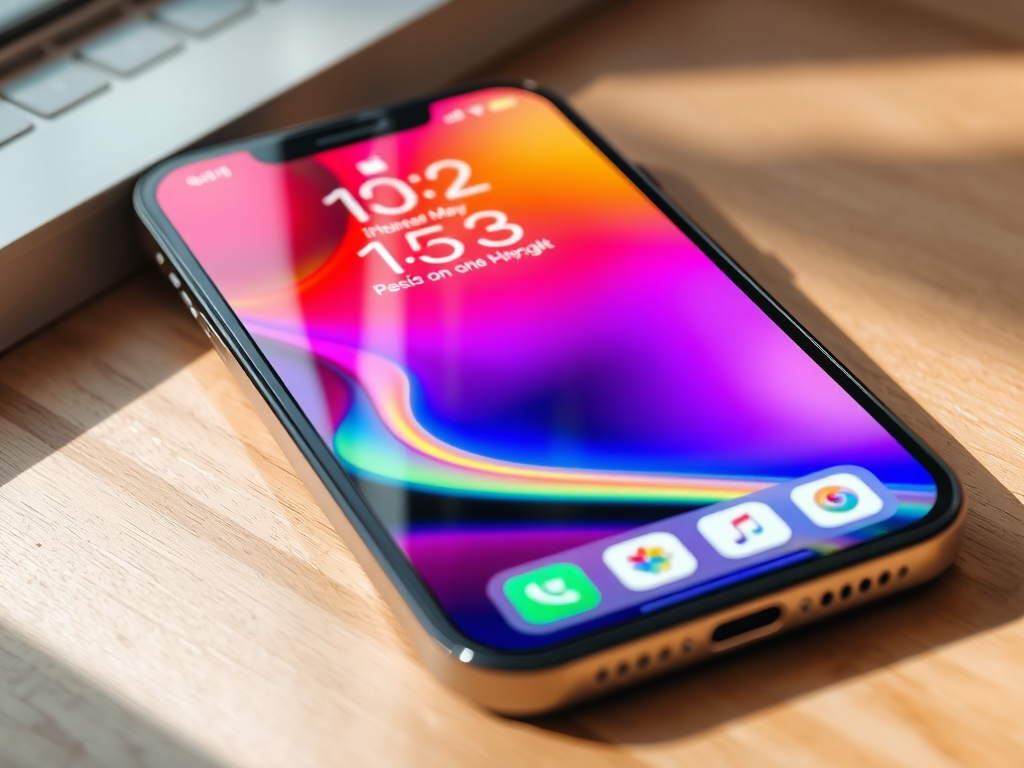
iOS 26 is here, and it’s the biggest iPhone transformation since iOS 7. After three months of beta testing, Apple released iOS 26, September 15. This release brings the most dramatic design overhaul in over a decade. It also introduces groundbreaking Apple Intelligence features that fundamentally change how you interact with your device.
For the first time, Adamntally changed how iOS looks and feels. Apple Intelligence expands across the system. It offers features like live translation, visual intelligence, and creative AI tools that work entirely on-device.
What this means for every iPhone user? You could be running an iPhone 11 or the latest iPhone 17. iOS 26 delivers features that make your device smarter. It makes it more personal and more capable than ever before. Here’s everything you need to know about Apple’s biggest software release of 2025.
Liquid Glass Design: iOS Gets Its Biggest Makeover in 12 Years

Apple’s new Liquid Glass design isn’t just a visual refresh. It’s a complete philosophical shift toward interfaces that feel alive. They are also more responsive. The biggest single change in iOS 26 is the design overhaul using Apple’s new Liquid Glass material. It is applied throughout the operating system. This transforms everything from app icons to system controls into translucent elements. These elements react to your content and surroundings.
What is Liquid Glass?
Apple describes Liquid Glass as “a new translucent material that reflects and refracts its surroundings. It brings greater focus to content and delivers a new level of vitality across controls, navigation, app icons, widgets, and more.”
Unlike traditional flat or skeuomorphic designs, Liquid Glass adapts dynamically to context. Interface elements become almost entirely translucent, allowing light and color to shine through while maintaining usability. When you scroll through apps, tab bars shrink and expand fluidly. When active, they refract the content around them, creating genuine depth perception that makes the interface feel three-dimensional.
The system responds to movement, too. Subtle animations mirror how real glass reflects light when you tilt your iPhone, creating an organic connection between your physical actions and the digital interface.
Lock Screen Transformations
The Lock Screen receives some of the most dramatic changes in iOS 26. On iOS 26 new features, the Lock Screen’s clock automatically adapts to fill the empty space, intelligently resizing based on notifications and wallpaper content. This adaptive time display ensures your Lock Screen always looks balanced and purposeful.
But the real magic happens with spatial scenes. iOS 26 introduces 3D photo effects that bring your wallpapers to life. Photos can transform into spatial scenes with subtle 3D depth as you move your device, creating parallax effects that make portrait subjects appear to float above background elements. It’s subtle enough to avoid distraction but noticeable enough to make every glance at your phone feel special.
You can view full-screen animated album art for supported Apple Music songs, turning your Lock Screen into a dynamic canvas that reflects your current listening experience. Combined with the adaptive time display, these features make the Lock Screen feel truly personal rather than just functional.
Home Screen Personalization
The Home Screen gains unprecedented customization options that go far beyond previous iOS capabilities. App icons can now auto-tint based on your iPhone’s color or its case color, creating cohesive visual themes that match your device’s physical appearance.
iOS 26 recognizes that my iPhone 16 Pro’s color is Desert Titanium and automatically adjusts app icon tinting to complement the device’s finish. If you use a colored case, iOS 26 can detect that too, creating icon themes that feel integrated with your personal style choices.
App icons themselves receive the full Liquid Glass treatment, featuring multiple layers that create depth and dimensionality. The translucent effects make icons appear to float above the Home Screen background, while maintaining the clarity and recognition that iOS icons are known for. You can choose from Default, Dark, and Clear appearance modes, with Clear offering several variants to match different aesthetic preferences.
Apple Intelligence: New AI Powers for Your iPhone

Apple Intelligence sees its most significant expansion since launch, with over 20 new features and improvements arriving in iOS 26. These aren’t distant cloud-based services. Every Apple Intelligence feature runs entirely on-device. This ensures your privacy while delivering instant responsiveness. This approach makes AI feel natural rather than intrusive.
Visual Intelligence Revolution
Visual intelligence can analyze whatever is on your screen. It lets you add events from a flyer into Calendar. You can also translate text or ask ChatGPT about images and information without leaving the app. This represents a fundamental shift in how you interact with visual information on your iPhone.
The feature works seamlessly across applications. Point your camera at a restaurant sign, and Visual Intelligence can instantly provide reviews, hours, and reservation options. Photograph a business card, and contact information automatically populates in your address book. Capture a concert poster, and the event details flow directly into your Calendar app.
Perhaps most impressively, Visual Intelligence now works with screenshots for the first time. Capture anything on your screen. This includes a webpage, a social media post, or a document. Visual Intelligence can identify products, extract text, and translate languages. It can also provide contextual information using ChatGPT integration. It transforms your iPhone’s camera and screenshot capabilities into a universal information gathering tool.
Real-world use cases extend far beyond simple recognition. Students can photograph homework problems to get step-by-step solutions. Travelers can instantly translate foreign signs and menus. Shoppers can identify products and find better prices. The technology adapts to your context and needs, making complex AI accessible through familiar iPhone interactions.
Live Translation Everywhere

Live Translation works across Messages, FaceTime, and Phone, providing on-device translated captions and even real-time translated audio during calls. This isn’t just text translation – it’s full conversation support that breaks down language barriers in real-time.
During phone calls, Live Translation provides automatic captions in your preferred language. It speaks your responses back in the other person’s language. The feature supports major languages including English, French, German, Italian, Portuguese, and Spanish. It also includes Japanese, Korean, and Chinese. Additional languages will arrive by year-end.
FaceTime calls gain the same capabilities, with live captions appearing on-screen during video conversations. Messages receives two-way automatic translation, converting incoming messages to your language while translating your responses for the recipient. The translation happens instantaneously, maintaining natural conversation flow without awkward pauses or delays.
Language support extends beyond basic translation to include context awareness and cultural nuances. Live Translation understands informal language, slang, and regional variations, providing translations that feel natural rather than robotic. Since processing happens on-device, your conversations remain completely private while benefiting from Apple’s advanced language models.
Creative AI Features
Genmoji reaches new creative heights with expanded customization options. The feature is powered by generative AI. It lets you combine emoji with text descriptions. You can also customize characters inspired by people in your Photos library. iOS 26 new features introduces the ability to mix multiple emoji together. Create entirely new characters with custom facial expressions. You can also add personal attributes.
You can now modify facial hair, eyewear, clothing, and other characteristics to create Genmoji that truly represent you and your contacts. The AI understands natural language descriptions like “smiling person with glasses and a beard” and generates appropriate emoji variations that match your specifications.
Image Playground integrates throughout the system, offering creative control for generating custom images directly within Messages, Notes, and other apps. iOS 26 adds ChatGPT integration to Image Playground, dramatically expanding creative possibilities while maintaining Apple’s privacy-first approach. Generated images can serve as conversation backgrounds, project illustrations, or creative expressions that perfectly match your needs.
Messages App Gets Major Social Features
Messages transforms from a simple texting app into a comprehensive communication platform with features that rival dedicated social media applications. iOS 26 introduces conversation backgrounds, polling capabilities, and enhanced group chat features that make every message feel more engaging and personal.
Conversation Backgrounds and Polls
You can now add a background to any conversation, and all participants will see it, creating shared visual themes that reflect your relationship or shared interests. It could be a photo from your last vacation together. Or it might be a favorite sports team. It could even be an abstract design that matches your aesthetic. These conversation backgrounds make each chat feel unique. They also make them personalized.
Custom backgrounds integrate with Image Playground, allowing you to create original designs using AI. Generate abstract patterns, scenic landscapes, or themed illustrations that perfectly capture the spirit of your conversation. The backgrounds adapt to Liquid Glass design principles, creating depth and visual interest without interfering with message readability.
You can now create polls in group chats, allowing people to vote on topics or questions with unprecedented ease. iOS 26 new features includes intelligent poll suggestions based on your conversation context – mention dinner plans, and Messages might suggest creating a restaurant poll. Discuss weekend activities, and voting options for different events appear automatically.
Poll creation supports multiple question types, from simple yes/no queries to complex multi-option selections. Results update in real-time, with visual indicators showing vote counts and percentages. The feature includes privacy controls, letting you create anonymous polls or restrict voting to specific participants.
Enhanced Group Features
You can now send and receive Apple Cash in group chats, streamlining shared expenses and group payments. Split restaurant bills, share ride costs, or collect money for group gifts directly within your conversation. Apple Cash integration maintains the security and privacy standards you expect while making group financial coordination effortless.
You can now see who is typing in group chats. This provides social context. It makes conversations feel more natural and responsive. Typing indicators show which specific participants are composing messages. This helps you gauge conversation flow. It also helps you avoid message collisions in active group discussions.
Message screening extends to unknown senders, with iOS 26 new features automatically filtering suspicious messages into dedicated folders. You can ask for more information about filtered messages. Alternatively, delete them immediately. This approach keeps your primary inbox focused on important conversations. At the same time, it maintains your awareness of potential spam or promotional content.
Phone App: Business-Grade Call Management
The Phone app receives its most significant upgrade in iOS history. It introduces features that transform your iPhone into a professional communication tool. iOS 26 brings Call Screening, Hold Assist, and unified interface improvements that eliminate common frustrations while adding capabilities that rival dedicated business phone systems.
Call Screening and Hold Assist
Call Screening can screen calls from unknown numbers, getting you the caller’s name and reason for calling before the phone rings. This feature eliminates the guesswork around unfamiliar numbers while ensuring important calls aren’t missed. When an unknown number calls, iOS 26 automatically asks for identification and purpose, presenting this information for your review.
The system supports natural language processing. Callers can explain their purpose in their own words. They do not need to select from predetermined options. Call Screening works in multiple languages, including English, French, German, Spanish, Portuguese, Japanese, Korean, and Mandarin Chinese, making it useful for international communications.
Screened calls from unknown numbers appear in a dedicated section of your call list. This keeps them organized and out of your primary call history. You can review screened calls when convenient, returning important calls while ignoring obvious spam or telemarketing attempts.
Hold Assist represents a revolutionary approach to customer service calls. When you’re stuck on hold, Hold Assist can hold on the line until a live agent is available. This frees you from listening to irritating hold music. It also prevents you from missing your place in queue. The feature monitors audio patterns to detect when human agents come on the line, immediately alerting you to rejoin the conversation.
Hold Assist supports major languages and works with most customer service systems. The feature understands the difference between recorded messages, menu systems, and live representatives, ensuring accurate detection of when your attention is actually needed. You can continue using your iPhone normally while Hold Assist manages your wait time.
How These Features Work in Practice
The unified layout combines Favorites, Recents, and Voicemails in one streamlined interface, reducing the taps needed to access important calling features. This consolidated view makes call management more efficient while maintaining quick access to your most frequently contacted people.
Enhanced call history provides detailed interaction records for each contact, showing patterns and frequency of communication. Tapping the info button next to any call reveals a comprehensive timeline of your conversations with that person, helping you maintain context across multiple interactions.
Type to Siri functionality works during phone calls, allowing you to interact with your virtual assistant without interrupting conversations. This capability enables quick information lookup, calendar scheduling, or note-taking while maintaining professional call etiquette.
Every App Gets Better with iOS 26 new features
iOS 26 brings meaningful improvements to core applications, with each app receiving features that enhance daily workflows and user experience. From professional-grade audio editing to comprehensive PDF markup, these updates transform standard iPhone apps into powerful productivity tools.
Apple Music AutoMix
A new AutoMix feature in the Apple Music app can seamlessly transition from one song to the next, like a DJ would. AutoMix uses advanced algorithms to analyze tempo, key, and musical structure, creating smooth transitions that maintain energy and flow between different tracks.
The feature replaces the previous Crossfade option with intelligent beat matching and time stretching capabilities. AutoMix understands musical genres and adjusts transition styles accordingly – electronic music receives precise beat matching, while acoustic tracks get gentler fade transitions that respect the organic nature of the recordings.
AutoMix works across your entire library, including playlists, albums, and radio stations. The feature learns from your listening habits, identifying songs that naturally flow together and avoiding jarring transitions between incompatible musical styles. You can adjust AutoMix intensity or disable it entirely for albums where track order matters.
Preview App Comes to iPhone
iOS 26 extends a version of Apple’s Preview app from the Mac to the iPhone, providing you with a built-in app to edit and mark up PDFs and images. This represents a significant productivity enhancement, eliminating the need for third-party apps for document annotation and basic image editing.
Preview for iPhone supports comprehensive PDF markup, including text highlighting, shape drawing, signature insertion, and form filling. The app integrates with Apple Pencil on compatible devices, enabling precise annotations and natural handwriting recognition. Documents sync seamlessly across all your Apple devices through iCloud.
Image editing capabilities include cropping, rotation, color adjustment, and basic retouching tools. Preview maintains the same professional-grade PDF handling that Mac users expect, scaled appropriately for iPhone screens and touch interactions. The app supports password-protected documents and maintains formatting integrity across different devices.
Apple Games App

iOS 26 introduces the Apple Games app. It is an all-new personalized gaming destination. The app is designed to help users jump back into the games they love. It helps them find their next favorite game and have more fun with their friends. The app consolidates Game Center social features with App Store discovery and Apple Arcade integration.
The Games app provides personalized recommendations based on your playing history, preferred genres, and social connections. Achievement tracking spans across all your devices, with progress synchronization ensuring your gaming accomplishments follow you everywhere. Leaderboards, challenges, and multiplayer coordination receive dedicated interfaces that make gaming more social and competitive.
Apple Arcade integration brings curated game collections, exclusive content, and family sharing features directly into the gaming experience. The app surfaces games that match your current context. It suggests puzzle games during commutes, action titles for longer gaming sessions, or party games when friends are nearby.
Photos App Redesign
Photos now features separate tabs for Library and Collections views, addressing user feedback about the previous unified approach. The Library tab provides chronological access to all your photos and videos. Meanwhile, Collections offers curated groupings based on events, people, places, and topics.
Collections view can be customized with three different layout options. You can easily collapse and reorder the collections based on your preferences. Search capabilities expand across every view. Apple Intelligence allows natural language queries. You can search for things like “photos from last summer’s beach trip” or “pictures of my dog playing in the park.”
Recognition for events like concerts and sports lets you see the details of an event and access related content automatically. The Photos app can identify concert venues, sports stadiums, and special events. It creates smart albums that group related photos. These albums provide contextual information about when and where the photos were taken.
Can Your iPhone Run iOS 26?

iOS 26 works on a wide range of iPhone models, though the most advanced features require newer hardware. Understanding compatibility requirements helps you know exactly which features you’ll gain when updating your device.
Full iOS 26 Compatibility:
- iPhone 17, iPhone 17 Pro, iPhone 17 Pro Max, iPhone 17 Air (with complete feature set)
- iPhone 16, iPhone 16 Plus, iPhone 16 Pro, iPhone 16 Pro Max
- iPhone 15, iPhone 15 Plus, iPhone 15 Pro, iPhone 15 Pro Max
- iPhone 14, iPhone 14 Plus, iPhone 14 Pro, iPhone 14 Pro Max
- iPhone 13, iPhone 13 mini, iPhone 13 Pro, iPhone 13 Pro Max
- iPhone 12, iPhone 12 mini, iPhone 12 Pro, iPhone 12 Pro Max
- iPhone 11, iPhone 11 Pro, iPhone 11 Pro Max
- iPhone SE (2nd generation and later)
Apple Intelligence Requirements: Apple Intelligence features require significant processing power and are limited to specific models:
- iPhone 17, iPhone 17 Air, iPhone 17 Pro, iPhone 17 Pro Max (full feature set)
- iPhone 16, iPhone 16 Plus, iPhone 16 Pro, iPhone 16 Pro Max (full feature set)
- iPhone 15 Pro, iPhone 15 Pro Max (full feature set)
Older supported devices receive the complete Liquid Glass design overhaul. They also receive core app improvements and system enhancements. However, they miss advanced AI features that require the latest neural processing capabilities.
Installation Guide
Installing iOS 26 is straightforward, though proper preparation ensures a smooth update experience:
Preparation Steps:
- Free up storage space – iOS 26 requires 3-5GB for download and installation, with up to 20GB recommended for optimal performance
- Charge your battery – Ensure at least 50% battery life, preferably keep plugged in during installation
- Connect to Wi-Fi – Use a stable Wi-Fi connection to avoid cellular data charges and ensure reliable download
- Update apps – Install pending app updates to prevent compatibility issues
- Backup your device – Create an iCloud or computer backup before major updates
Installation Process:
- Open Settings → General → Software Update
- When iOS 26 appears, tap Download and Install
- Enter your passcode when prompted
- Agree to terms and conditions
- The update typically takes 30-60 minutes depending on internet speed and device model
Battery Impact Warning: Apple officially warns that installing iOS 26 might temporarily impact battery life. This is normal behavior as the system performs background indexing, downloads assets, and optimizes performance. Battery life typically normalizes within 24-48 hours after installation.
Storage Requirements: Keep in mind that installing iOS 26 requires more than 20GB of free storage for optimal installation. Delete unused apps or offload large files if needed to ensure sufficient space.
The Future of iPhone
iOS 26 represents more than just another annual software update – it’s Apple’s bold vision for the next decade of mobile computing. The Liquid Glass design language creates visual consistency across Apple’s entire ecosystem. It makes every interaction feel more dynamic and responsive. Apple Intelligence features bring practical AI capabilities to daily tasks without compromising privacy or requiring cloud connectivity.
For iPhone users, the upgrade decision is clear. Whether you’re running a compatible iPhone 11 or the latest iPhone 17, iOS 26 delivers meaningful improvements that enhance your daily experience. The Liquid Glass interface makes everything feel fresh and modern, while core app improvements boost productivity and creativity.
Immediate Benefits:
- Complete visual transformation with Liquid Glass design
- Enhanced privacy with on-device Apple Intelligence processing
- Professional-grade communication tools in Phone and Messages
- Expanded creative capabilities with Genmoji and Image Playground
- Streamlined app experiences across Photos, Music, and core applications
Advanced Features for Newer Devices:
- Full Apple Intelligence suite with Visual Intelligence and Live Translation
- Advanced camera features including new Photographic Styles
- Adaptive Power management for extended battery life
- Enhanced AirPods integration with studio-quality recording
The timing couldn’t be better for this update. AI capabilities are becoming increasingly central to smartphone experiences. iOS 26 positions iPhone users at the forefront of practical artificial intelligence. It also maintains Apple’s commitment to privacy and user control.
Bottom Line: iOS 26 transforms your iPhone into a smarter, more capable, and more personal device regardless of which model you own. The combination of stunning visual design and practical AI features creates an experience that feels both familiar and revolutionary. If you’ve been waiting for the right moment to embrace Apple’s AI future, iOS 26 is that moment – and it’s available now.
People also search for


Something went wrong. Please refresh the page and/or try again.
Leave a Reply